

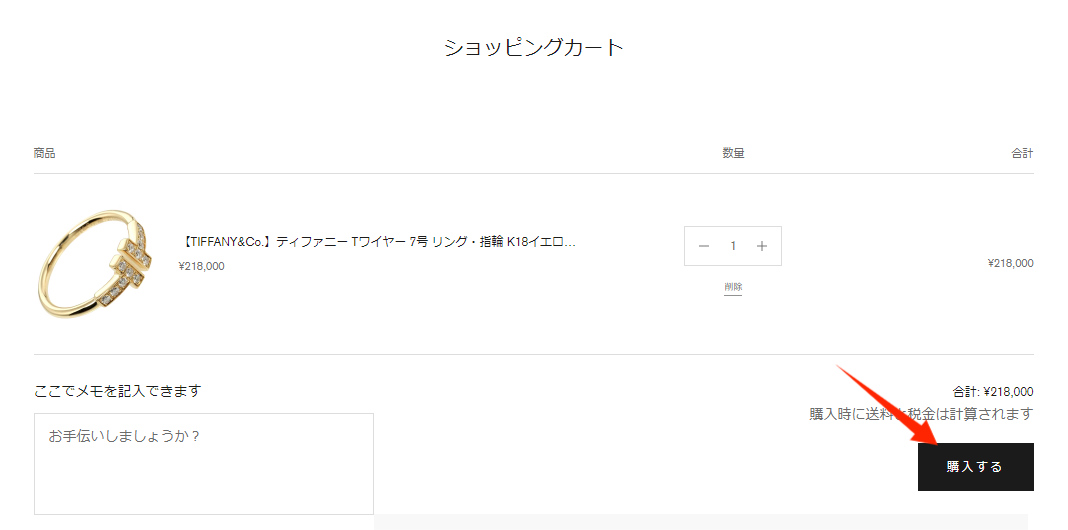
①Add the product to your cart[Purchase]button.
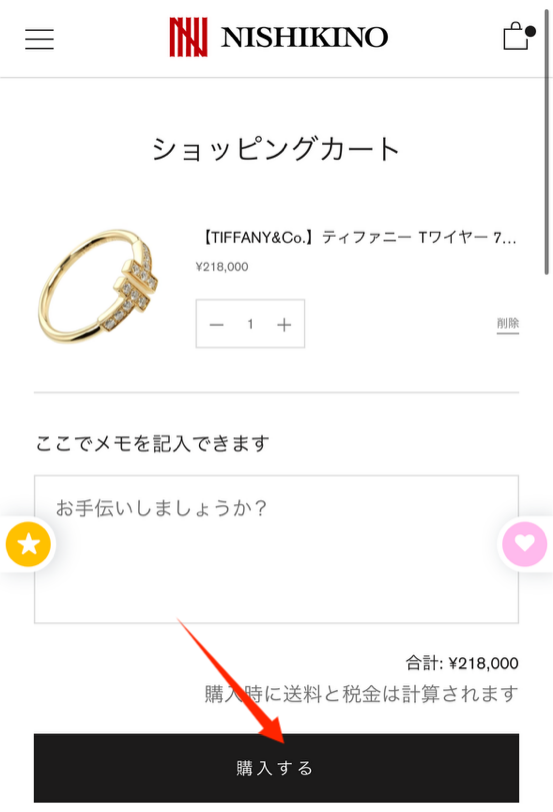
②Once you are on the payment page,[Display order details/Enter coupons]Press the arrow.
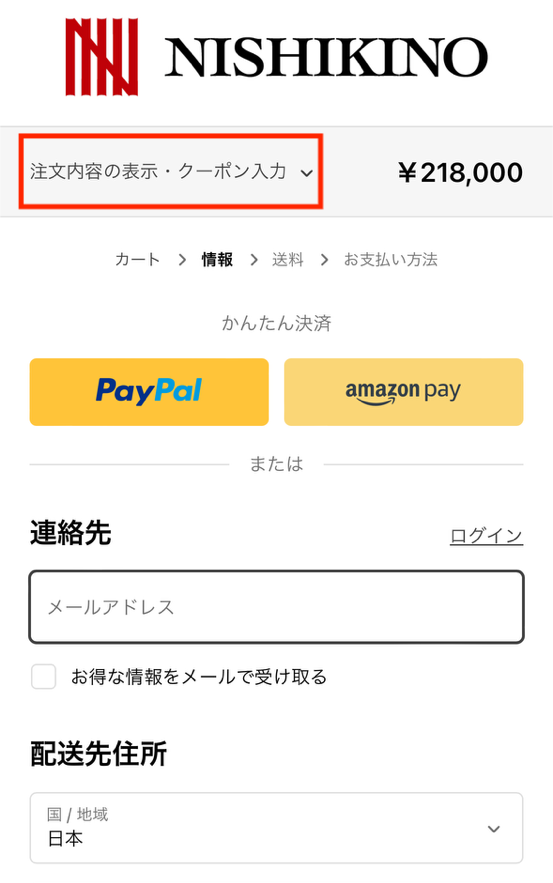
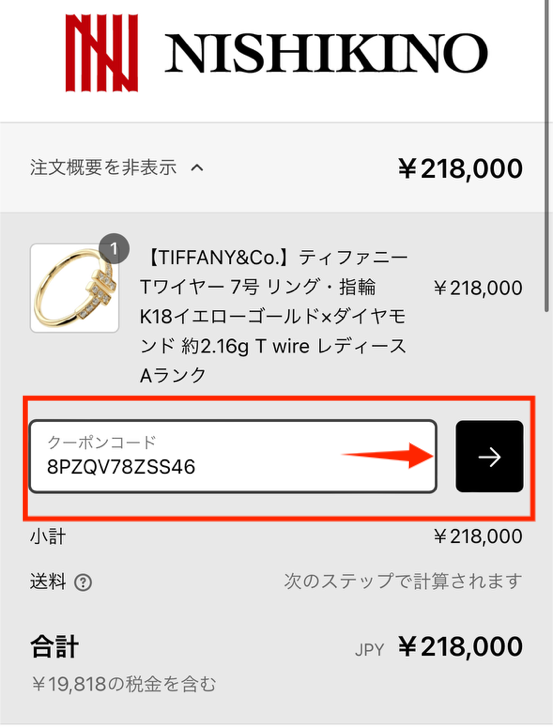
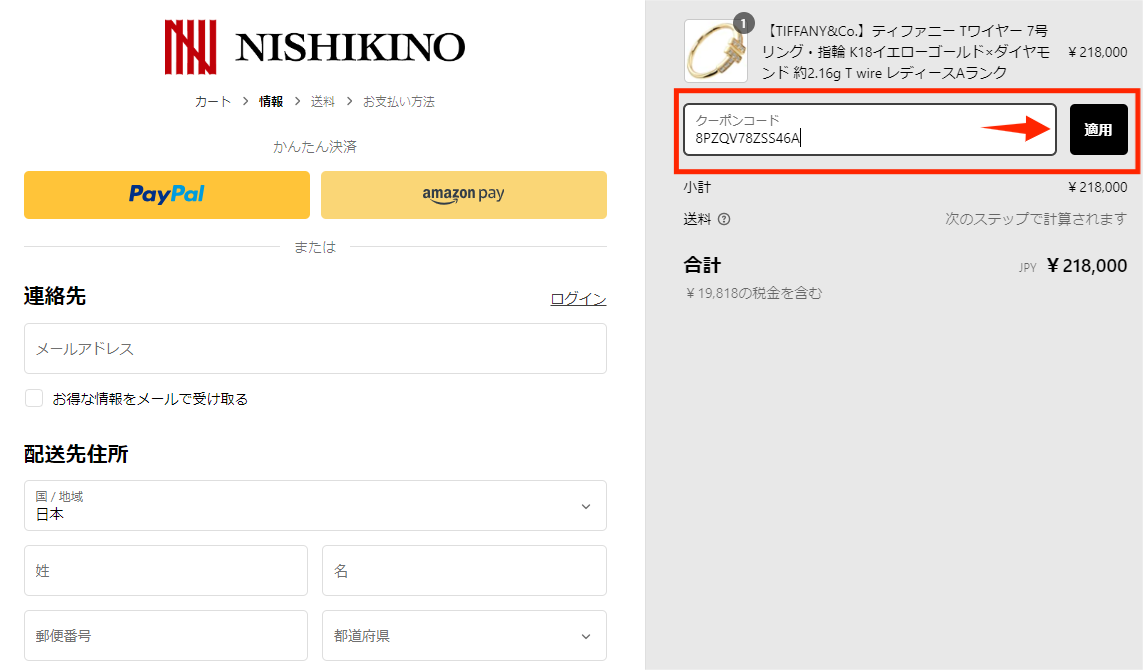
③Enter the code in the "Coupon Code" field.【→】Press the button.
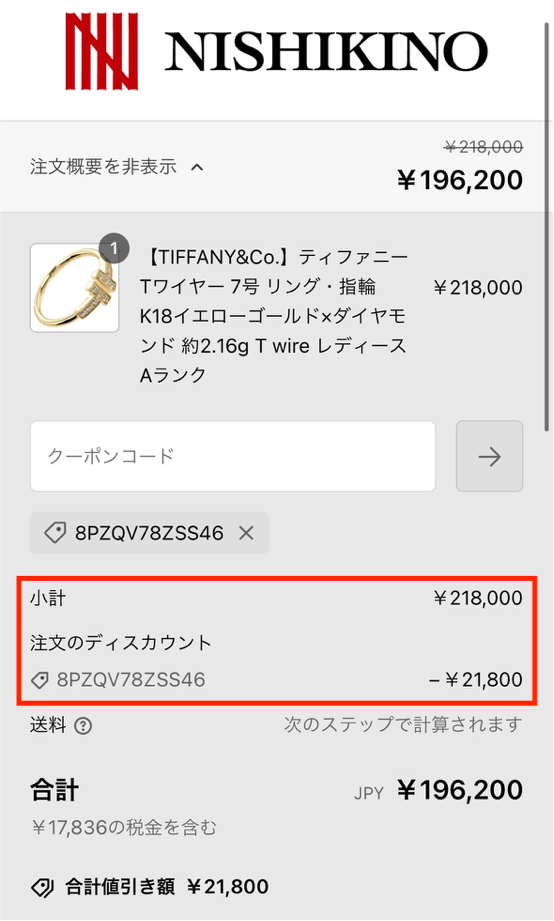
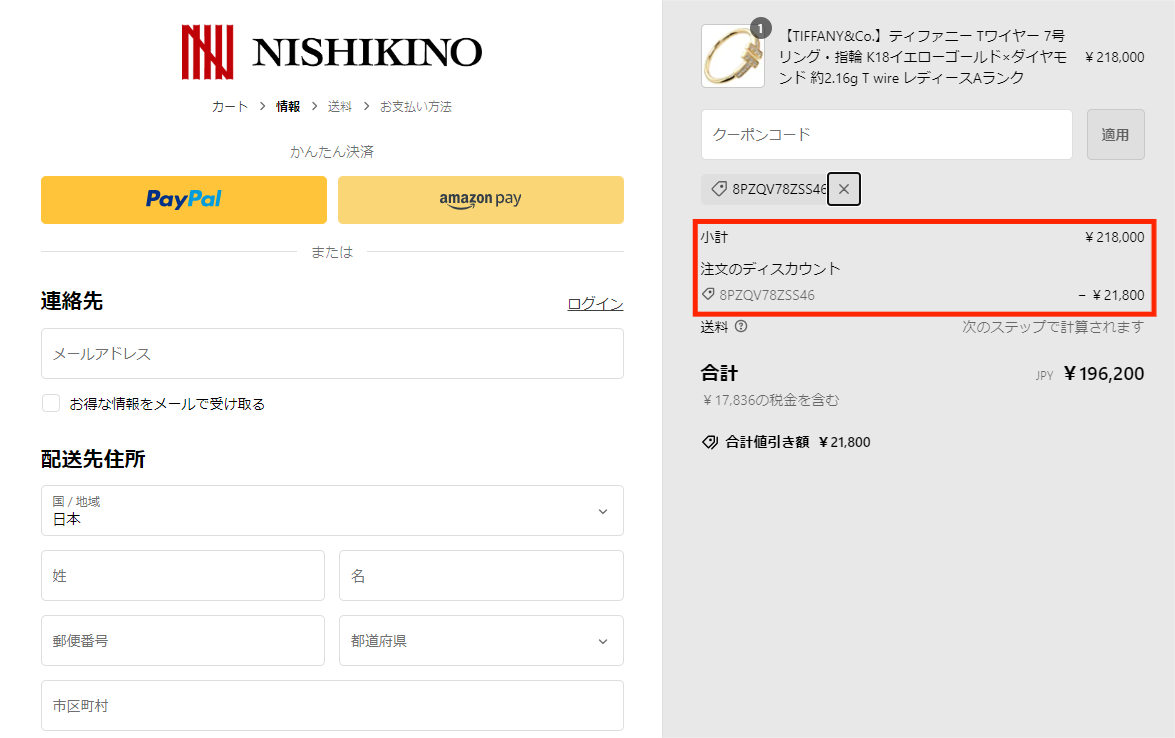
④Press the button to display the discount amount.
Please confirm the payment amount and then confirm the payment.
*Coupons may have a set number of uses or expiration date. Please check before use.
①Add the product to your cart[Purchase]button.
②After entering your personal information on the payment page,
Enter the code in the "Coupon Code" field.【Applicable】Press the button.
③Verify that the discount has been applied
Please make sure that the payment amount is correct before completing the payment.
*Coupons may have a set number of uses or expiration date. Please check before use.